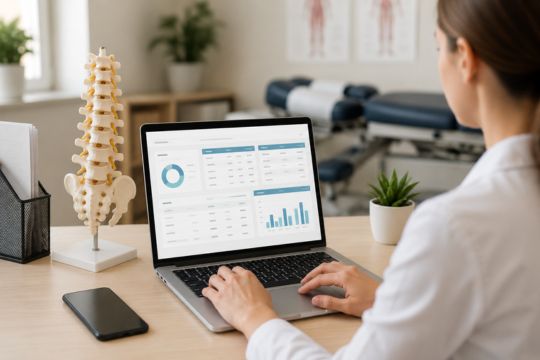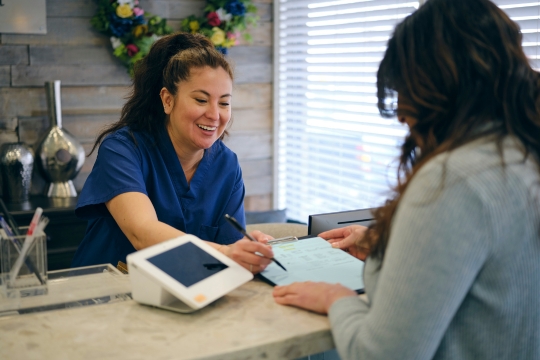


The phone rings while your receptionist checks in a patient, another patient needs to reschedule, and someone else waits to complete registration forms. Each interruption pulls the receptionist away from the task at hand, leaving patients waiting and routine paperwork unfinished. Understanding how chiropractic offices can reduce front desk workload starts with identifying which responsibilities take up the most time and repeatedly interrupt other work.
From there, offices can make targeted changes to how routine tasks are handled. Patients can complete intake forms before arriving, book or reschedule appointments online, and reach the appropriate staff member without every call going through the receptionist. When these tools connect with existing software, employees also spend less time entering the same patient information into multiple systems.
Identify What's Overloading Your Front Desk
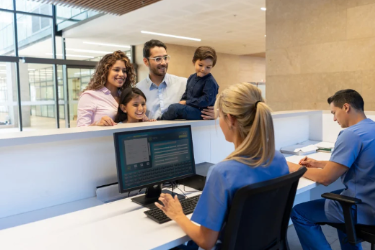
Before investing in chiropractic front desk automation, take a closer look at where your employees spend their time. Even a quick task can disrupt the workday if it repeatedly pulls employees away from other responsibilities.
A longer task, on the other hand, isn't always a problem if staff can complete it without interruptions. Over several working days, track how often each task comes up, how long it takes, and what other work gets delayed because of it.
Include these activities in your workload audit:
- Phone communication: Incoming calls, missed calls, voicemail checks, and callbacks.
- Patient registration: New-patient forms, insurance information collection, and check-in.
- Appointment management: Bookings, cancellations, and rescheduling requests.
- Administrative questions: Office policies, payment inquiries, and other routine questions.
- Patient follow-ups: Appointment reminders, confirmations, and follow-up messages.
- Data entry: Patient information entered manually into multiple systems.
Once you've identified where staff spend the most time, look at which tasks could be handled with less manual work. Routine appointment reminders and call routing are good starting points for automation, while employees should continue handling complicated scheduling requests, sensitive patient questions, and billing concerns directly.
Simplify Patient Intake and Check-In
Patient registration takes up more staff time when employees have to distribute paper forms, review handwritten responses, and enter the information into patient records. But with digital patient intake software, new patients can complete registration forms and health histories through a secure online system before their appointment. If the system connects with the practice's existing records, their information can transfer directly without employees entering it again.
Returning patients can also complete check-in faster by confirming their existing information and updating only what's changed since their last visit.
What Does a More Efficient Check-In Look Like?
Here's what that could look like for a new patient:
Traditional check-in: The patient fills out paperwork in the waiting room, then hands it back to the receptionist to review and enter into the system.
Digital check-in: The patient submits their information before arriving, so the receptionist only needs to check for missing details or corrections.
Self-service patient kiosks for clinics also give patients a way to complete registration when they haven't filled out their forms in advance. But even with paperless chiropractic office workflows, staff need to review incomplete forms, correct errors, and assist patients who are unfamiliar with digital tools. PrimeVox also offers guidance on streamlined paperwork workflows.
Whatever registration system your practice uses, it needs security measures to protect patient information and comply with patient privacy regulations, including HIPAA.
Automate Scheduling and Patient Follow-Ups
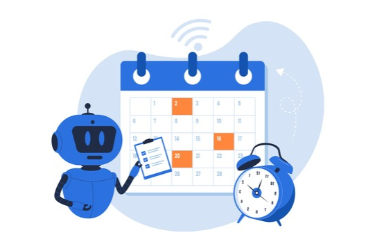
Receptionists spend a considerable part of their day handling appointment cancellations, rescheduling requests, reminders, and follow-ups, often while managing other front desk responsibilities.
With automated appointment scheduling, patients can book available appointments online without calling the front desk. Some scheduling systems also let patients cancel or reschedule on their own, using the appointment options and availability set by the practice.
Your practice can automate:
- Online booking: Show available appointments based on each chiropractor's schedule and appointment types.
- Appointment confirmations: Send confirmations when patients book or change appointments.
- Patient reminders: Notify patients about upcoming appointments.
- Rescheduling requests: Let patients choose another available time based on the practice's scheduling rules.
- Recall messages: Use automated patient recall systems for chiropractors to remind patients about follow-up visits their chiropractor has already recommended.
To avoid double bookings, online booking tools and staff should use the same up-to-date appointment calendar. Otherwise, a patient could book a time that the receptionist has already assigned to someone else.
The U.S. Department of Health and Human Services (HHS) confirms that appointment reminders are part of treatment under HIPAA and can be sent without separate HIPAA authorization. Practices still need to protect patient privacy, accommodate reasonable requests for confidential communications as required by HIPAA, and follow applicable laws governing automated messages.
Reduce Phone Interruptions With Smarter Call Handling
A business phone system can handle incoming calls without receptionists having to interrupt every in-person patient interaction. With Voice over Internet Protocol (VoIP), calls are made and received through an internet-based system.
A VoIP auto attendant for chiropractic practices uses recorded menus that let callers choose options for scheduling or general office questions, directing them to the right staff member without the receptionist having to transfer every call manually.
How Automated Call Handling Works
When someone calls to ask about office hours, the phone menu can provide that information while the receptionist checks in a patient. Calls about scheduling can go directly to the staff responsible for appointments.
Other phone system features can help staff manage calls and messages:
- Call routing: Direct calls based on office hours, departments, or staff availability.
- Voicemail notifications and transcription: Let employees review messages and prioritize callbacks.
- Automated answering: Answer routine questions using recorded menus or configured AI voice tools.
- After-hours responses: Provide recorded information or acknowledge calls when the office is closed.
- Desktop and mobile phone access: Allow authorized employees to manage business calls away from the reception desk.
PrimeVox offers healthcare-focused communications tools, including call routing, voicemail transcription, after-hours answering, and text notifications. Its medical phone system platform also includes AI-powered answering capabilities, with available features varying by setup.
Even with automated answering, patients should have a way to reach office staff when their questions can't be resolved through the phone system. Clinical concerns and emergencies also need to be directed to qualified healthcare professionals or emergency services, not handled by AI.
Connect Your Systems Without Creating More Work

When your scheduling, registration, and patient record systems aren't connected, employees often have to enter the same information more than once. With EHR integration for chiropractors, compatible software can share patient details with the practice's electronic health records (EHR), reducing the need for repeated manual updates.
Before choosing new software, make sure the vendor can answer these three questions:
- Does this tool work with our current software? Check compatibility with your existing EHR, scheduling platform, and other systems.
- Which information transfers automatically? Find out what the software can share and what employees will still need to enter or check manually.
- Who handles integration problems? Ask who will help resolve missing information, incorrect records, or problems syncing data between systems.
A separate tool can also work for a specific task, provided employees can use it without having to enter information twice or constantly switch between systems. PrimeVox currently lists EHR integrations for dental and vision practices, so if you're considering its phone system for your chiropractic office, ask whether it works with the software you already use.
Make Front Desk Changes That Staff Can Maintain
For practices focused on reducing chiropractic administrative burden, introducing new tools one at a time gives employees a chance to adjust. Changing several systems at once can disrupt daily appointments and make it harder to tell which updates are actually helping.
Front Desk Workload Reduction Checklist
- Identify your three most repetitive tasks. Use your earlier workload audit to find which one causes the most interruptions or delays.
- Decide which tasks need staff involvement. Separate tasks that can be automated from those employees need to handle themselves.
- Review your existing software. Check if the tools you already use have automation features you haven't tried.
- Look at intake, scheduling, and phone procedures. Choose which part of your front desk operations needs the most improvement.
- Check compatibility, privacy, and costs. If a vendor handles protected health information on behalf of your practice as a HIPAA business associate, make sure a business associate agreement is in place, as required by HHS.
- Assign someone to oversee the changes. Make sure an employee knows how to check automated tasks, correct errors, and handle problems when they arise.
- Train employees and keep other options available. Show staff how the new process works and make sure patients who can't use digital tools can still complete registration or contact the office.
- Track the results. Compare missed calls, duplicate data entry, check-in times, and staff feedback before and after making changes.
Even after a new system is in place, it can take some time to see how well it works during a busy day. A phone menu could reduce missed calls but leave patients confused about which option to choose.
Digital registration could also save time at check-in, only for employees to spend that time correcting incomplete forms. These are the kinds of problems that staff feedback can bring to light, even when the numbers initially look promising.
Build a More Manageable Chiropractic Front Desk
A smoother front desk routine means fewer interruptions during patient check-in, less time spent on paperwork, and fewer calls that need to be transferred manually. The improvements your office needs will depend on where employees are spending the most time.
If phone calls are taking up a large part of your receptionist's day, PrimeVox offers healthcare-focused communication tools for managing incoming calls and messages. You can learn more about its medical phone system solutions and see how they could fit into your chiropractic office's existing setup.