


.png)

Front-desk staff often miss calls while balancing patient check-ins, scheduling, and other administrative work. Calls during busy periods, lunch breaks, or after hours can be even harder to handle consistently.
Practices looking for additional coverage can compare automated voice technology with a live answering service. Practices comparing AI receptionist vs answering service for chiropractic offices are usually trying to solve the same problem: making sure patient calls are handled when front-desk staff is unavailable.
An AI receptionist uses software and voice technology to complete configured call tasks, while a traditional answering service usually relies on live agents following instructions from the practice. AI can fit predictable requests that follow a defined process. When a conversation moves outside that process, live agents can adapt more easily. Choosing between them depends on what patients typically call about, how appointments are handled, when staff needs to step in, privacy requirements, and the complete cost of the service.
What’s the Difference Between an AI Receptionist and an Answering Service?
Both options give a chiropractic office another way to handle calls when its own staff cannot answer, but they handle those calls differently.
AI Receptionist
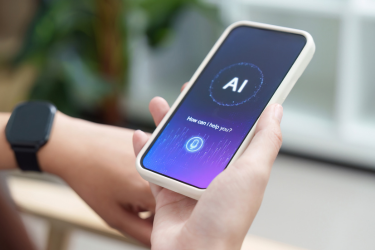
An AI receptionist uses software and voice technology for the initial caller interaction. The system follows configured workflows that tell it what information it can provide, what details it should collect, where calls should be routed, and when staff should be involved.
An AI receptionist can handle routine questions, collect caller information, direct calls to the correct person or department, and assist with appointment requests, based on how the system is configured. Scheduling capabilities should be confirmed with the vendor, especially if the practice needs the system to work directly with an existing calendar or practice-management platform.
The workflow should also make it clear when a person needs to take over. Calls involving clinical judgment, uncommon requests, or questions the system is not set up to answer should be passed to staff.
Traditional Answering Service
A traditional answering service places a live operator between the caller and the chiropractic office. Agents typically answer on the practice's behalf using scripts, account instructions, and escalation procedures. They might take a caller’s name and message, transfer the call, or handle other administrative tasks covered by the service agreement.
Because the interaction involves a person, an operator can adapt to the conversation when the caller asks an unexpected question. However, the agent still needs instructions that define what can be answered and what needs to be sent back to the practice. When comparing a medical answering service vs. voice AI, look at what the caller can actually get done before the call ends.
How Do They Compare for Everyday Chiropractic Calls?
The technology matters less than what the caller needs and how far the call can go before staff needs to take over.
- Routine information: Voice AI can give pre-set answers to predictable questions such as office hours, location, or basic appointment instructions. A live operator can use information and scripts from the practice while adjusting the wording as the conversation goes on.
- Message taking: A live agent can record a caller's message, while an AI system can collect structured details such as a name, callback number, reason for calling, or requested department. Either way, the information still needs to reach the correct person.
- Call routing and live transfers: Both models can use live call transfer protocols. The practice needs to decide which calls go to the front desk, another administrative employee, a provider, or an on-call contact, as well as what happens if that person doesn't answer.
- Consistency: An AI receptionist can handle the same type of request in a consistent way. Live operators have more conversational flexibility, although their responses depend on the training and information available to them.
- Peak call periods: Practices should ask what happens when call traffic rises. For an answering service, that includes staffing, call queues, and answering service hold times during peak hours. For voice AI, ask how many simultaneous calls the platform or service plan can handle and what happens when that limit is reached.
- Caller experience: Some callers might prefer talking to a person, while others may want a quick way to get information or complete an administrative task. Either option should still give callers a way to reach staff if needed.
- Escalation and availability: An answering-service contract can set specific coverage hours and procedures, while an AI receptionist can provide automated coverage outside front-desk hours. In either case, the practice needs to know what happens to calls that can't be handled by the service alone.
What happens when the system or agent can’t resolve the call is just as important as how the call begins. A well-designed workflow tells the system or agent when the call has reached the limit of what it should handle and where the caller should go next.
How Do Scheduling and After-Hours Calls Differ?
Two services can both "answer the phone" but have very different outcomes. Scheduling and after-hours calls show how differently the two services can work in practice.
Appointment Requests
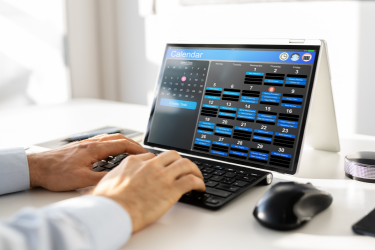
For appointment calls, look at whether the service only takes a message for someone to handle later or can help the caller complete the scheduling process during the conversation.
Real-time chiropractic appointment booking can reduce the number of extra steps between an inquiry and a scheduled visit, but a practice should still verify exactly what the vendor can do. Can the service recognize different appointment types? Can it check provider availability? Can it follow rules for new and existing patients? What happens when the caller asks for a time that does not fit the standard scheduling workflow?
That’s the key distinction between live agent message taking vs. direct calendar scheduling. A live answering service might only collect a request, or its agents may be able to schedule appointments if the service agreement and system access allow it. An AI receptionist can do the same in some setups, but if the practice needs direct calendar or EHR synchronization, that capability needs to be verified with the vendor first. In either case, there should be a route back to staff when the scheduling request falls outside the usual process.
After-Hours Calls
Start by looking at why people call after the front desk closes. Some want office hours or directions. Others need to cancel an appointment, request a new one, leave a message, or reach someone from the practice.
After-hours clinic call management works better when the practice has clear rules for each of those situations. Calls involving acute pain or another potentially urgent concern need a different approach, since automated systems shouldn’t be used to perform clinical triage. Instead, they can route or escalate the call according to the practice’s instructions, while clinical evaluation and medical advice remain with qualified healthcare personnel.
What About HIPAA and Sensitive Patient Calls?
Healthcare call handling brings up privacy questions that an ordinary business receptionist usually doesn’t have to deal with. According to the U.S. Department of Health and Human Services (HHS), protected health information can include information shared verbally, not just information in written or electronic records.
A chiropractic office subject to HIPAA should consider what patient information an AI vendor or answering service will receive, create, store, or transmit. If a vendor qualifies as a business associate because it handles protected health information on behalf of a covered entity, the covered entity generally needs an appropriate written Business Associate Agreement with that vendor. It should spell out how the information can be handled and what safeguards the vendor must have in place.
For that reason, AI voice assistant HIPAA compliance depends on how the service handles protected health information and how it’s used by the practice.
Before selecting either type of service, ask:
- What patient information will the service collect?
- Are calls recorded or transcribed, and if so, what is retained?
- Where is information stored, and who can access it?
- What access and security controls apply to electronic protected health information (PHI)?
- Will the vendor act as a business associate, and is an appropriate Business Associate Agreement available when required?
- Are subcontractors involved in handling PHI?
- How are sensitive or clinically relevant questions transferred to practice staff?
HHS also notes that the HIPAA Security Rule covers technical safeguards for electronic PHI, including controls over access, user authentication, and protection of information while it’s being transmitted. Convenience and ease of use are separate from whether the service meets the practice’s privacy and security requirements.
Which Option Works Better for Your Practice?

Before comparing sales presentations or prices, review the calls the office is already receiving. Look at when calls are missed, what callers usually want, how many requests can follow a standard administrative process, and how frequently someone from the practice needs to step in. A practice where most calls involve hours, directions, appointment requests, and basic routing will have different needs from one where callers regularly raise complex billing questions or issues requiring individual judgment.
Cost also needs to be compared in context. If a vendor uses answering service per-minute pricing, estimate the practice's expected minutes instead of looking only at the advertised rate. The same applies to per-call, per-message, usage-based, or monthly service models. Include any features, overages, integrations, support, and phone-system costs that would be required for the actual workflow.
A cost per call comparison for medical offices can also be incomplete if one service only takes a message while another completes a permitted scheduling or routing task in the same interaction. Compare what the practice receives for the total expected cost, since the two services may be providing very different levels of call handling.
The service should also work smoothly with the practice’s current phone system. If missed calls happen alongside difficult routing, disconnected scheduling tools, or other outdated processes, it can help to review the signs you need modern chiropractic software before looking at call coverage on its own.
Questions to Ask Before Choosing
- When are calls currently being missed?
- What do callers most often need?
- Do you need message taking, direct scheduling, or both?
- How should calls be transferred to staff?
- Which situations require immediate human involvement?
- What happens when call volume rises?
- What after-hours coverage does the practice need?
- Does the service need to connect with existing scheduling or practice software?
- What healthcare privacy requirements does the practice need to consider?
- How is the service priced based on expected usage?
These questions can also help the practice assess how the new service will work with its existing Voice over Internet Protocol (VoIP) phone system and whether it will add another disconnected tool for staff to manage.
An AI receptionist can be a good fit when many incoming calls involve the same types of routine requests, while a live answering service can work better when callers need more conversational flexibility or a person to interpret the request. The better fit depends on the kinds of calls the practice receives most often.
The decision should come from the practice's call patterns, scheduling requirements, privacy obligations, and expected total cost. If you are also reviewing the business phone system behind those workflows, PrimeVox provides transparent VoIP phone system pricing to help compare that part of the communications setup.